
See actual tweets driving traffic and revenue
t.co links in your referrer data, see the actual tweets that drove traffic and revenue to your website with DataFast's 𝕏 integration.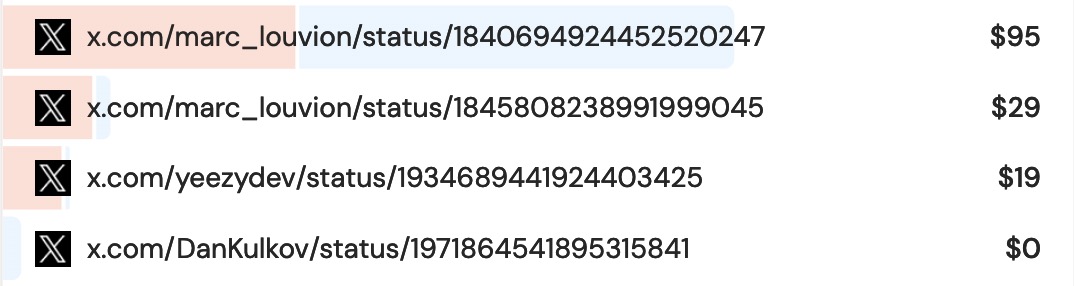
Why this matters for revenue attribution
Generic t.co links tell you nothing about your marketing performance. DataFast's 𝕏 tweet attribution takes your marketing to the next level:
- Identify top influencers - Find accounts that send high-value traffic
- Track ROI by tweet - See which posts generate revenue, not just clicks
- Measure campaign performance - Track hashtag campaigns and social ads
How it works
DataFast automatically scans 𝕏 for your website links and attribute the traffic and revenue to the actual tweets. Here's how to see them:
- Go to the Referrer card in your main analytics dashboard
- Add
𝕏as a filter to see the actual tweets
There are two types of attribution:
1/ 𝕏 posts attribution
When someone posts a link to your website on 𝕏. No need to do anything 👍

2/ 𝕏 link-in-bio attribution
If you have your website linked in your 𝕏 profile (personal or business), add your handle(s) to DataFast:
- Go to your Website Settings > Integrations
- Find the Twitter / 𝕏 section
- Click the Link attribution tab
- Add the handle of the accounts that link to your site like
@datafast_,@not_boring_company.

Important: Only add accounts that actually have your website link somewhere in their profile, like your own 𝕏 account, or an affiliate 𝕏 account.
It can take a few hours for DataFast to attribute all previous traffic and revenue to the actual tweets.
Go farther and track mentions of your brand name and products on 𝕏 with DataFast's 𝕏 mentions